.png)


.png)
You've invested in the latest sales tech. Apollo for prospecting. Reply.io for email sequences. HubSpot as your CRM. Each one promising to transform your sales process. But instead of a seamless operation, you're drowning in manual data entry, missing follow-ups, and watching leads slip through the cracks between systems.
Sound familiar? You're stuck in what sales professionals increasingly call "integration hell" – where great individual tools create a mediocre (or downright dysfunctional) sales process when cobbled together.
"I am now running Sales for myself and finding myself lost," confessed one sales leader on Reddit. Another lamented being "honestly tired of tools that promise 'multichannel' and then barely integrate with LinkedIn."
This isn't just frustrating – it's expensive. While high-performing sales teams use nearly three times as much technology as underperforming ones, the secret isn't having more tools—it's making them work together. Companies with strong sales enablement and integrated tools see a 15% higher win rate and an 8% increase in quarterly revenue.
In this guide, we'll help you escape integration hell by showing you how to build a sales stack that works for you, not against you.
Why Your Sales Stack Feels Like a Mess
Before we solve the problem, let's understand why sales tool integration is so challenging in the first place.
Tool Overwhelm Is Real
The average company uses approximately 110 different SaaS platforms. With that level of complexity, adding just one more tool to your stack becomes a significant challenge. Each new addition exponentially increases the potential integration points and failure modes.
The Deadly Sins of Sales Stack Management
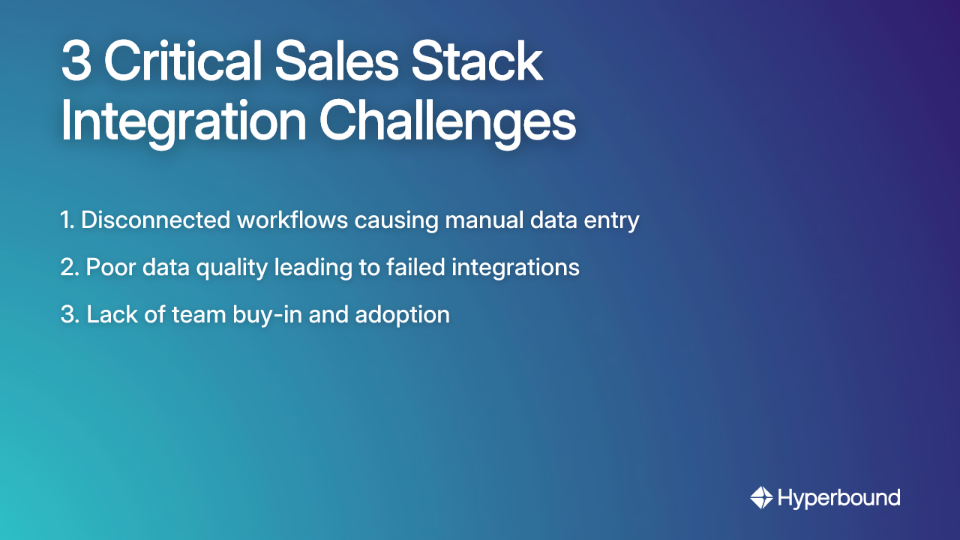
1. Disconnected Workflows and Manual Data Entry
When your CRM doesn't talk to your email sequencer, your team becomes human APIs – manually copying and pasting data between systems. This creates errors, wastes valuable selling time, and fragments your view of the customer journey.
One sales rep described spending "hours each week just pushing data between systems" instead of having meaningful conversations with prospects. That's not just an annoyance; it's a direct hit to your revenue potential.
2. The Silent Killer: Poor Data Quality
Bad data is the primary reason integrations fail. A staggering 85% of AI projects fail due to poor data quality, and the same principle applies to any data-driven integration.
Common issues include:
- Duplicate contacts and companies
- Inconsistent field formats
- Missing required values
- Outdated information
This isn't just a technical problem – it's a financial one. Bad data quality costs companies an average of $15 million annually in lost productivity, missed opportunities, and failed initiatives.
3. Lack of Team Buy-In
You can build the perfect integration, but if your team doesn't use it, it's worthless. Resistance often stems from:
- Fear of being replaced (59% of sales professionals worry that automation threatens their jobs)
- Frustration with poor user experiences
- Constant switching between too many tools
- Lack of proper training on the integrated workflow
As one sales leader put it, "HubSpot's integration options can definitely feel overwhelming at first." Without proper guidance, even the best integrations sit unused. This makes effective sales enablement—giving reps a safe space to practice and master new workflows—more critical than ever.

The Strategic Escape Plan: A 5-Step Framework for Taming Your Tech
Escaping integration hell requires a strategic approach – not just technical fixes. Follow these five steps before writing a single line of code or connecting a single API:
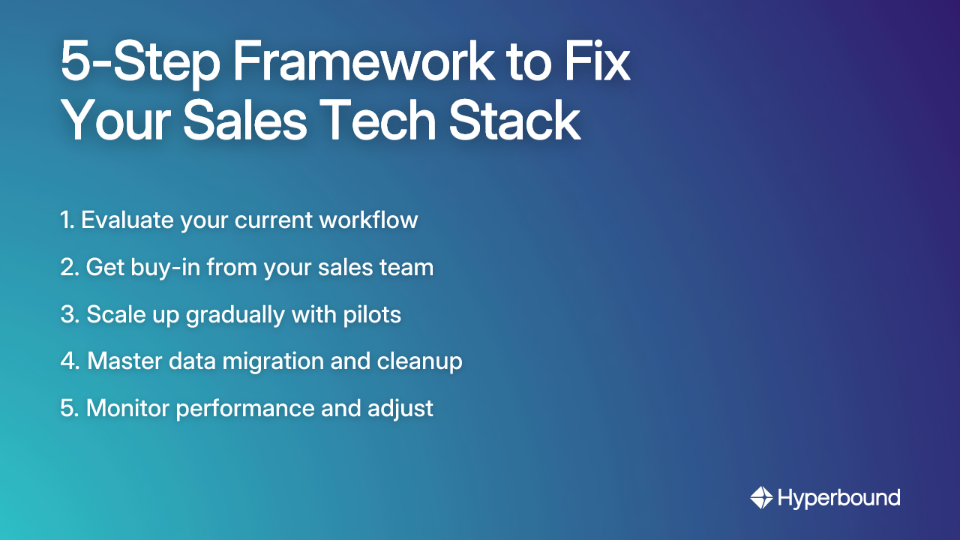
Step 1: Evaluate Your Current Workflow
Before adding or integrating any tool, map your existing sales process:
- What are your key sales touchpoints?
- Where exactly are manual tasks slowing you down?
- Which customer segments need different approaches?
- What buyer personas are you targeting with your value proposition canvas?
- Where are follow-ups being missed?
This analysis reveals the actual problems you're trying to solve, not just symptoms.
Step 2: Get Buy-In From Your Sales Team
The people using these tools daily must be on board for any integration to succeed:
- Involve sales reps in the decision-making process
- Clearly communicate how new integrations will help them hit quotas
- Address concerns about learning curves or job security
- Hold Q&A sessions to gather feedback and build champions
As one sales leader advised, "Getting the team excited about the 'why' behind a new tool makes adoption so much smoother."
Step 3: Scale Up Gradually with a Pilot Program
Don't roll out a new integration to the entire company at once:
- Select a small group of tech-savvy reps to be early adopters
- Let them test the workflow and identify bugs
- Use their success stories to drive wider adoption
- Document common issues and solutions for the full rollout
Step 4: Master Your Data Migration and Cleanup
This step is non-negotiable. Before you integrate:
- Deduplicate records in your CRM
- Standardize field formats (phone numbers, company names, etc.)
- Fill critical missing values
- Test data migration on a small scale to ensure accuracy
As recommended for an Apollo/HubSpot integration, "deduplicate data in your CRM first to avoid syncing messy records and creating bigger problems."
Step 5: Monitor Performance and Adjust
Set specific, measurable goals for the integration:
- Are you trying to increase lead conversion rates?
- Reduce time spent on manual data entry?
- Improve deliverability of your cold mailing campaigns?
- Increase meaningful touchpoints per prospect?
Use analytics to track performance against these goals and make adjustments as needed.
Practical Integration in Action: Connecting Apollo and HubSpot
Let's move from theory to practice with a real-world example that many sales teams face: connecting a prospecting tool (Apollo) with a CRM (HubSpot).
Choose Your Integration Method
1. Native Integration
- What it is: The built-in connection offered by Apollo
- Pros: Easy to set up, sufficient for most basic needs
- Cons: Limited customization options, basic field mapping
- Best for: Small teams with straightforward workflows
2. Third-Party iPaaS (Middleware like Zapier)
- What it is: A platform that connects different applications
- Pros: Highly customizable workflows without code, triggers actions across multiple systems
- Cons: Additional cost, potential latency issues with high volume
- Best for: Teams that need "more control and logic" without developer resources
3. Custom API Integration
- What it is: Custom-built connections using developer resources
- Pros: Maximum flexibility, handles complex business logic
- Cons: Requires technical expertise, ongoing maintenance
- Best for: Enterprise teams with unique requirements and IT support
Critical Pre-Integration Checklist
Before connecting Apollo and HubSpot (or any sales tools):
1. Duplicate Management
- Clean your HubSpot data before turning on the sync
- Define rules for handling duplicates (newest wins? manual review?)
- Test with a small data set first
2. Field & Status Mapping
- Customize how Lead Status in Apollo maps to Lifecycle Stage in HubSpot
- Ensure your sales sequences align with your task queue structure
- Map custom fields that track your sales automation processes
**3. Error Monitoring
- Plan to regularly check the Apollo Error Log
- Set up alerts for sync issues
- Document common errors and solutions
Use Cases Unlocked by a Proper Integration
When done right, connecting Apollo and HubSpot creates powerful workflows:
- Automated Data Enrichment: New contacts in HubSpot are automatically enriched with Apollo's data (job titles, company info)
- Smarter Lead Scoring: Use enriched data from Apollo (employee count, tech stack) to build more accurate lead scoring models
- Automated Job Change Tracking: Get alerts in your CRM when a key contact changes jobs
- Streamlined Voicemail Drops: Trigger voicemail drops based on CRM data without manual intervention
- Coordinated SMS and Email Marketing: Ensure your SMS outreach is synchronized with your email sequencer for a consistent multi-channel approach
The Big Decision: All-in-One Simplicity vs. Best-of-Breed Power
This fundamental choice shapes your entire stack. There's no universally right answer – only the right answer for your team.
The All-in-One Approach (e.g., HubSpot Sales Hub)
Pros:
- Seamless data flow between features
- Unified reporting dashboards
- Single vendor relationship
- Consistent user interface
- Simplified training
Cons:
- May lack advanced specialized features
- Limited flexibility to swap components
- Potential vendor lock-in
- Higher tier costs for essential features like sales sequences
As one user complained: "You need sequencing. And you have to upgrade to the higher tier for that."
The Best-of-Breed Approach (e.g., Pipedrive + Apollo + Reply.io)
Pros:
- Superior specialized capabilities
- Flexibility to swap individual components
- Often more innovative features
- Can optimize cost by tier for each need
Cons:
- Integration complexity and maintenance
- Multiple vendor relationships to manage
- Training across different interfaces
- Potential data consistency issues
How to Make the Right Choice
Consider these factors:
- Team Size & Technical Resources
- Smaller teams often benefit from all-in-one simplicity
- Larger teams can leverage specialized tools with dedicated admins
- Budget Reality
- All-in-ones have predictable costs but tier limitations
- Best-of-breed involves multiple subscriptions plus potential middleware costs
- Unique Requirements
- Do you need specialized features for lead generation?
- Is email deliverability critical to your process?
One budget-conscious tip from Reddit: "HubSpot has a free version for small orgs. Or a starter version for $20/month" – proving you don't always need the enterprise tier.
Conclusion: Build a Sales Stack That Works For You, Not Against You
Escaping sales tool integration hell requires shifting your mindset from collecting tools to building a cohesive system. It's a strategic process that starts with your workflow, not with a tool's feature list.
Key takeaways:
- Always start by evaluating your process and getting team buy-in
- Clean your data before you integrate
- Choose the right integration method (Native, iPaaS, or API) for your needs
- Make a conscious choice between an all-in-one platform and a best-of-breed stack
A well-integrated sales stack eliminates manual work, provides clean data for better decision-making, and empowers your reps to focus on what they do best: selling. By following this framework, you can build a system that actively helps you achieve the 8% average increase in quarterly revenue seen by well-enabled teams.
And once your stack is built, ensuring your team can leverage it effectively is the final, crucial step. Platforms like Hyperbound bridge the gap between technology and performance, using AI-powered roleplays and call analysis to ensure your reps not only adopt new workflows but master them.
Remember – the goal isn't to have the most advanced tools. It's to create a seamless workflow that helps you connect with prospects, close deals, and grow your business. Your tech should work for you, not against you.
Frequently Asked Questions
What is sales stack integration hell?
Sales stack integration hell refers to the common problem where a company's collection of individual sales tools (like CRMs, prospecting platforms, and email sequencers) do not work together seamlessly. This disconnect forces sales teams to perform manual data entry between systems, which leads to errors, wasted time, and missed sales opportunities. Instead of creating a streamlined process, the cobbled-together stack becomes a source of frustration and inefficiency.
Why do most sales tool integrations fail?
Most sales tool integrations fail due to three primary issues: disconnected workflows requiring manual data entry, poor data quality (like duplicates and inconsistencies), and a lack of team buy-in or adoption. Bad data is a silent killer, costing companies millions annually and being a top reason for integration failure. Furthermore, even a technically perfect integration is worthless if the sales team resists using it due to poor training, fear of change, or a frustrating user experience.
How can I get my sales team to adopt new tools and integrations?
To ensure team adoption, involve your sales reps in the decision-making process, clearly communicate how the new integration will help them succeed, and provide comprehensive training. Start by getting buy-in early and addressing their concerns. Run a pilot program with a small group of tech-savvy reps to work out any issues and create success stories. Finally, use sales enablement platforms for realistic practice, which helps reps master new workflows in a risk-free environment.
What is the first step to fixing a messy sales tech stack?
The first and most critical step to fixing a messy sales tech stack is to evaluate and map your current sales workflow. Before considering any new tools or integrations, you must understand your existing process. Identify key touchpoints, pinpoint where manual tasks are causing bottlenecks, and determine where follow-ups are being missed. This analysis ensures you're solving the root problems, not just treating symptoms with more technology.
Should I use an all-in-one platform or a best-of-breed sales stack?
The choice between an all-in-one platform (like HubSpot Sales Hub) and a best-of-breed stack (like Pipedrive + Apollo) depends on your team's size, budget, and specific needs. All-in-one solutions offer simplicity, a unified interface, and seamless data flow, making them ideal for smaller teams. Best-of-breed stacks provide superior specialized features and flexibility, which can be leveraged by larger teams with more technical resources to manage the integration complexity.
How do I ensure data quality when integrating different sales tools?
To ensure data quality, you must perform a thorough data cleanup before you activate the integration. This process is non-negotiable and should include deduplicating records in your CRM, standardizing field formats (like phone numbers and company names), and filling in critical missing values. Always test your data migration on a small scale first to catch any issues before rolling it out company-wide.
Book a demo with Hyperbound


